
Throughout my life working with IT equipment, it comes as no surprise that I have worked with a very wide range of computers. Some of them were good, others were not so good, for various reasons. But especially, from my early childhood, there are those few computers that I remember just ‘that bit more’ than others. Many of those that know me personally know of my deep interest into IBM systems, after all, the first computer I ever touched was a Personal Computer 300GL. However, I also have memories of the mid-to-late nineties Dell OptiPlex systems, as my primary school exclusively used both these, and an arsenal of Evesham AMD systems.
In truth, I cannot remember exactly what model of OptiPlex they used. Some of them ran Microsoft Windows 2000. Others ran Microsoft Windows NT version 4.0. All alongside a (very) loosely networked set of SMB shares (with only three user accounts for the entire school!). That ‘network’ was finally phased out in 2008, when the school adopted a ‘Research Machines Community Connect 4’ network.
I’ve wanted one of these OptiPlex systems for a long period of time now. Given the seemingly inexplicable price rises of ‘retro’ computing equipment, it took a while for me to find a system that I felt was ‘fairly’ priced. I ended up winning this one for £18.99 including postage. It was described by the seller as faulty and would not power up, with no video signal on the monitor. I decided that at the price, it was worth a shot in the dark to try and get it working again. It was a classic case of “what’s the worst that can happen with it, how hard can it be?”
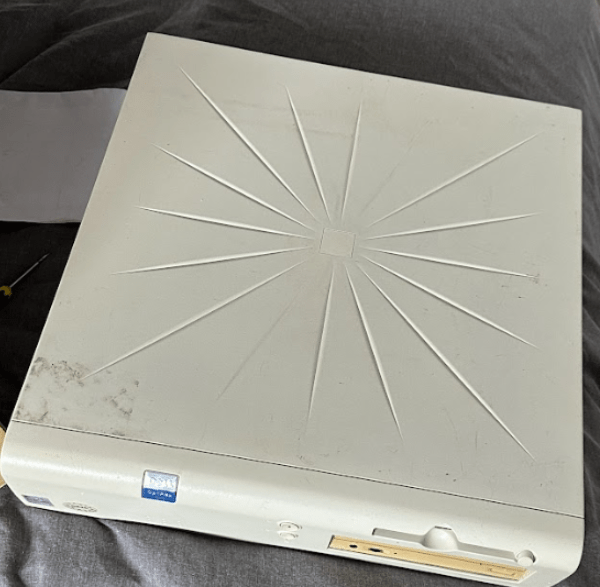
Low and behold, a few days later, the OptiPlex arrives at my house in a reasonably large cardboard box, and I instinctively gaze upon what I had just bought. This thing was seriously filthy, possibly because it spent a good ten years within somebody’s garden shed, collecting more than dust… I opened the plastic case up (which thankfully, hadn’t cracked) and was disappointed to meet with a complete mess of a computer inside. Clearly, somebody had been in this system before, and couldn’t get it working properly.
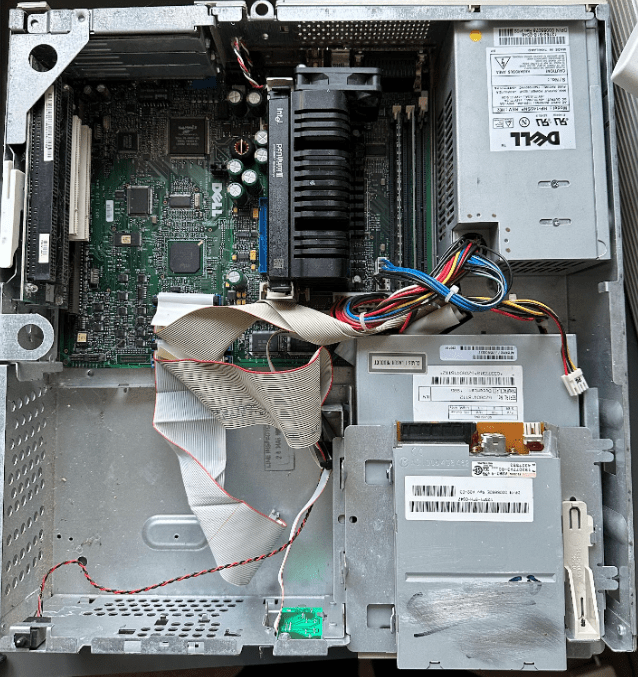
I quickly performed a ‘sanity’ check on the system to make sure that it was actually safe to power on, and ensured that all the minimum connections required for the motherboard to operate were present and correct. Then came the moment I had been dreading. It was time to power the system up, to see (if any) life comes from it at all. I grabbed some peripheral equipment, connected an IEC lead, and flipped the switch. Immediately, I heard the system coming to life, and was greeted by a Dell logo splash screen. I was happy, and already managed to get further than the previous owner of the system. All seemed well, until the computer emitted the dreaded Dell ‘double beep’ and proceeded to protest about a number of things it wasn’t happy about. A barrage of weird and wonderful errors appeared, including chassis intrusion alerts, invalid configuration information, memory errors, disk errors, and possibly every other kind of comical error message you can think of.

 Alistair Brazier
Leave a comment